For home owners and builders
Build your home without losing track of a single bag of cement.
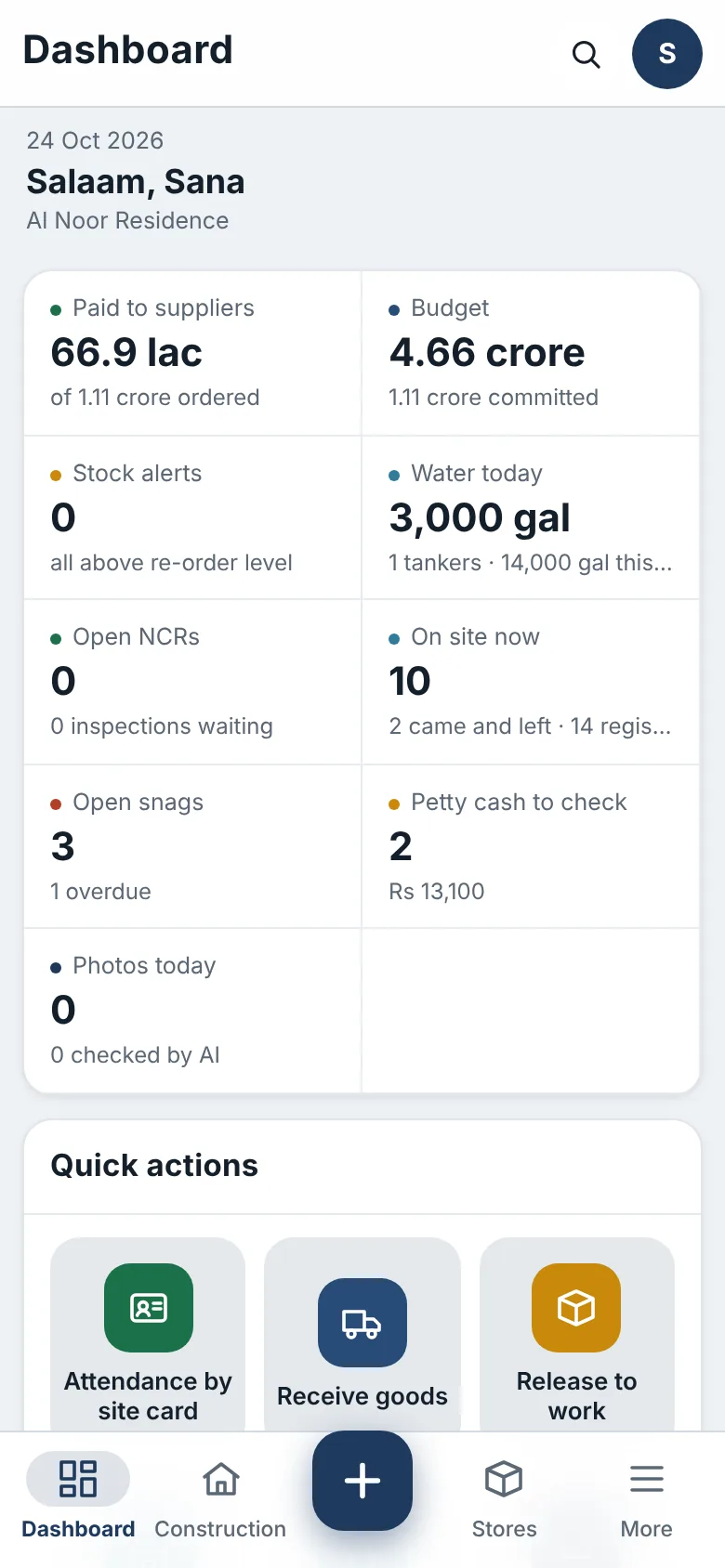
Buildiary puts your site on your phone: what arrived, what was used, what was paid and how far the work has come. Every entry carries a photo, a name and a time.
No card needed. English, Urdu and Arabic.
Two ways to use Buildiary
Made for the person paying, and for the people building
Owner mode: building your own home
See every delivery, payment and stage your builder reports, without standing on site all day.
- Approve petty cash and supplier payments with proof
- Verify progress with dated photos
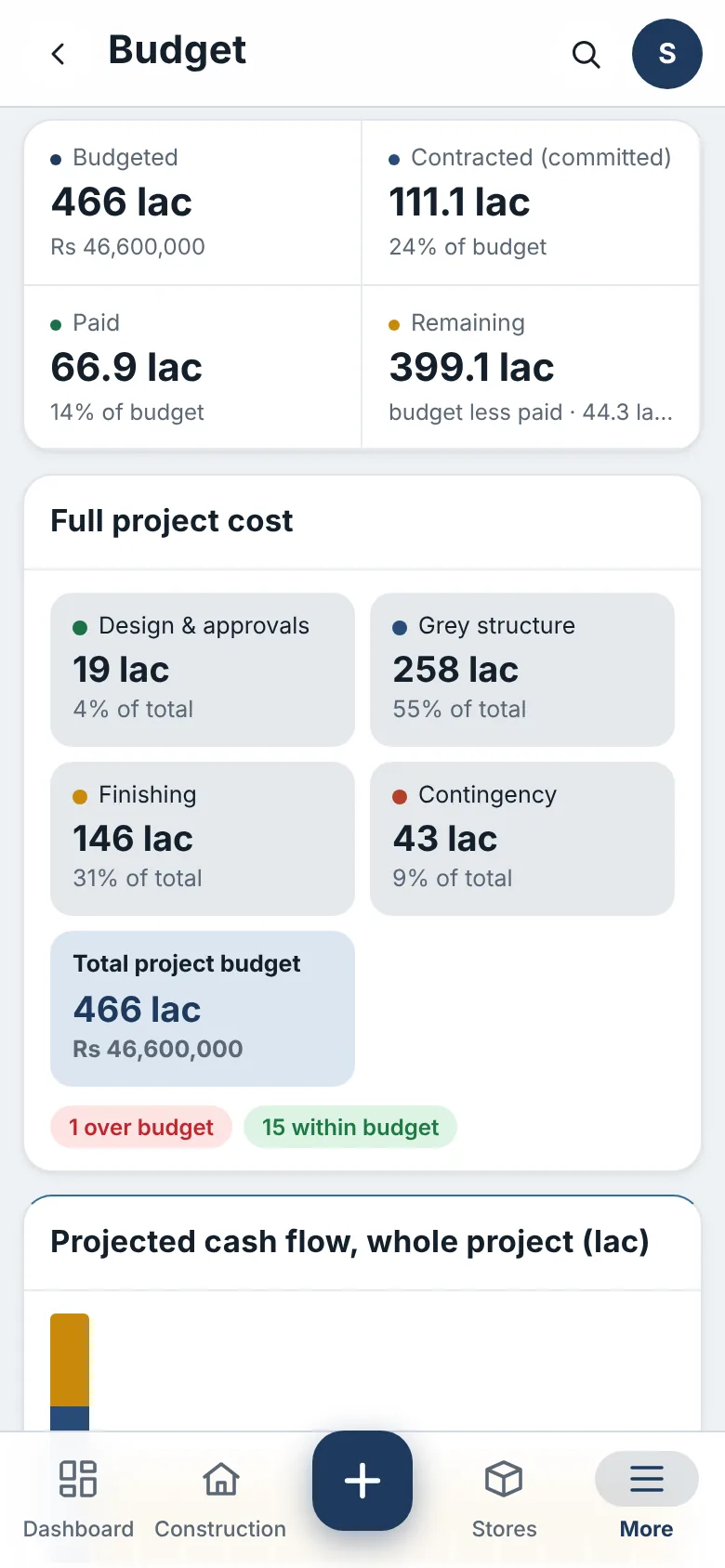
- Keep the budget, by phase, in view
Builder mode: projects for clients
Run several client sites with one team, and show clients progress they can trust.
- A store, crews and attendance for each site
- Supplier quotations, orders and bills in one place
- Progress reports with photos for every client
What Buildiary does
Everything that happens on site, recorded where it happens
Your supervisor and store keeper use Buildiary on their phones. You see the result on yours.
Stores and deliveries
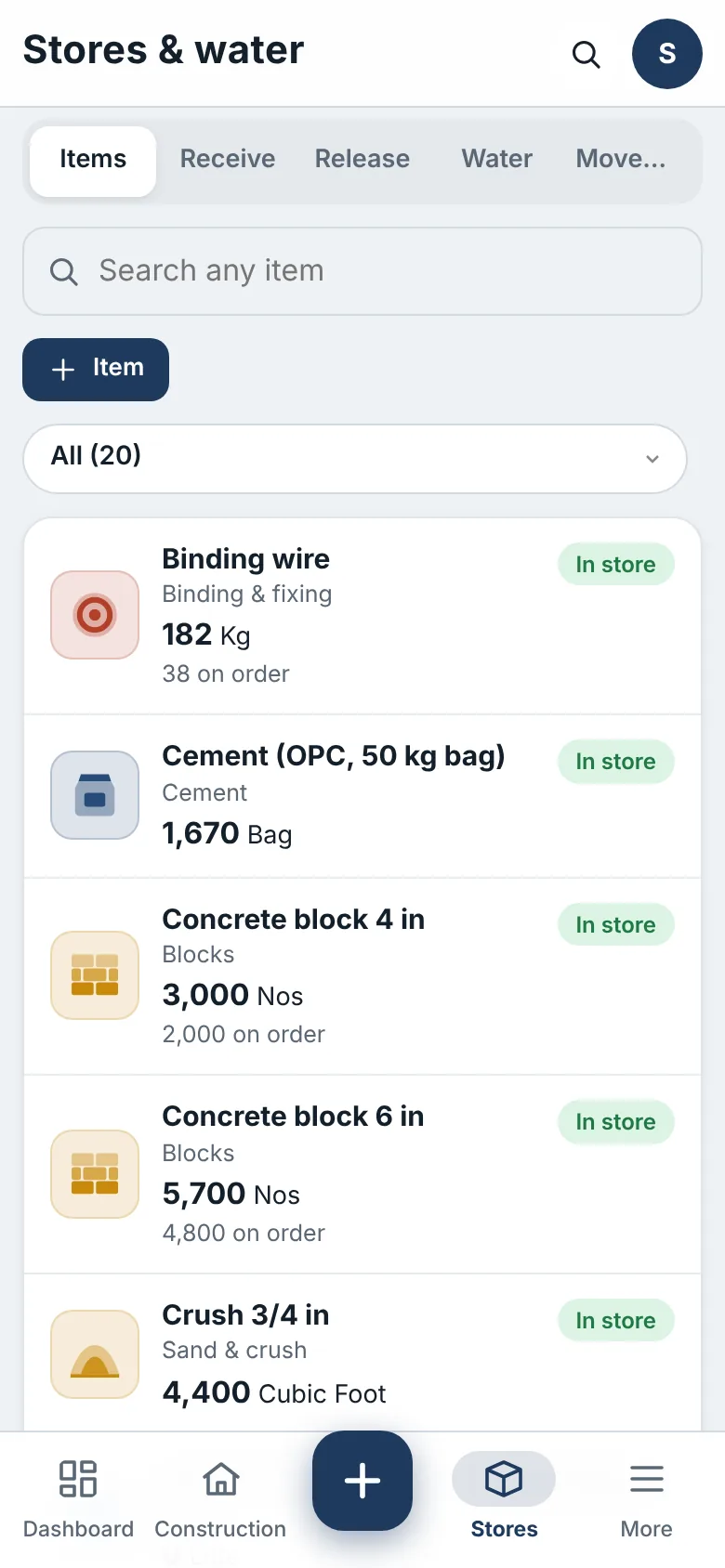
Goods are received against a purchase order, with a photo of the delivery note and the receiver. Every bag that leaves the store goes to a named mistri.
Payments and budget
Supplier bills, advances and payments with proof. The budget by phase, what is committed, and a cash-flow forecast for the whole project.
Build progress
Each stage shows planned against built. Site staff report with photos and the owner’s side verifies. AI compares before and after photos.
People and site cards
Printed site cards with QR codes, a face check against the registered photo, and attendance with a team photo and the phone’s location.
Water and petty cash
Log every water tanker with its TDS reading, read tank levels from a photo, and keep petty cash with bills and approvals.
Ask the project
Ask in plain words: are we on schedule, what do I owe the builder next, which materials need ordering. Answers come from your live records.
How it works
Up and running the same day
Start your trial
Choose Owner or Builder, name your workspace and set your password. It is ready in about a minute.
Add your team
Register the supervisor, store keeper and workers. Each gets a site card and signs in on their own phone.
Run the site from your phone
Deliveries, releases, payments and progress are recorded where they happen, with photos. You see it all on the dashboard.
On the phone
Big buttons, clear screens, made for site work

Made for sites in Pakistan and the Gulf
Works the way your site works
Buildiary speaks your team’s language and counts in your currency.
- English, Urdu and Arabic, each person in their own language
- Prices in PKR, SAR or USD, paid by bank transfer
- Runs in any phone’s browser; Android app for site staff
- Each workspace is separate, with daily backups
Pricing
One price for the whole site team
Owner
For a family building its own home: one site, the builder and the site staff on your phone.
- 2 projects
- 10 people sign in
- 10 GB for photos and files
Builder
For builders and contractors: several client sites, crews, stores and money in one place.
- 10 projects
- 40 people sign in
- 50 GB for photos and files
7 days free, no card needed. Pay by bank transfer when you are ready.
Guides
Build it right: guides from our team
The stages of building a house, from design to handover
The 14 stages of building a typical two-storey house in Pakistan and the Gulf, how long each takes, what depends on what, and what to check before moving on.
How to stop material going missing on a building site
Cement, steel, tiles and fittings are a large part of a house’s cost. A simple routine (order, receive, store, release, reconcile) keeps them under control.
How to keep a construction site diary that settles arguments
What a daily site diary should record (weather, people, work done, deliveries, instructions and problems) and why it protects owners and builders alike.
Questions people ask
What is Buildiary?
Buildiary is a construction site management app for people building their own home and for builders running client sites. It records deliveries, the site store, payments, the budget, build progress and the site team on the phone, in English, Urdu and Arabic. It is made by SMH Global Services.
Do I need to install anything?
No. Buildiary runs in the phone’s browser: open your workspace address and add it to the home screen. An Android app is available for site staff.
What happens after the 7-day trial?
Choose a plan and pay by bank transfer. We activate it as soon as we confirm the payment. If you don’t pay, the workspace pauses after a few days and your data is kept.
Can my builder and site staff use it?
Yes. Each person gets their own sign-in, or a site card with a PIN, and sees only what their role needs. Money stays with the owner and the accountant.
Which languages does Buildiary support?
English, Urdu and Arabic. Each person chooses their own language, and Urdu and Arabic read right to left.
Is my data safe?
Every workspace is a separate database, connections are encrypted, and backups run every day. You can ask us for a full export at any time.
Can I use it for more than one project?
The Owner plan covers two projects and the Builder plan up to ten sites. Contact us if you need more.
Start your free trial today
7 days free. No card. Your workspace is ready in about a minute.