
Platform
How Buildiary works
Up and running the same day: start a trial, add your team and run the site from your phone.
Three steps
1
Start your trial
Choose Owner or Builder, name your workspace and set your password. It is ready in about a minute.
2
Add your team
Add the supervisor, the store keeper and the workers. Each gets a sign-in, or a site card with a PIN, and works on their own phone.
3
Run the site from your phone
Deliveries, issues, payments and progress are recorded where they happen, with photos. You see it all on the overview.
A photo, a name and a time on every entry
On most sites the record is a notebook, a few WhatsApp photos and the memory of the people involved. Material goes missing, bills don't match deliveries, and the owner finds out late.
Buildiary records each event where it happens: the delivery at the gate, the bag issued to a mistri, the payment to a supplier, the slab that was cast. Each entry has a photo, a person and a time, so the owner and the builder work from the same facts.
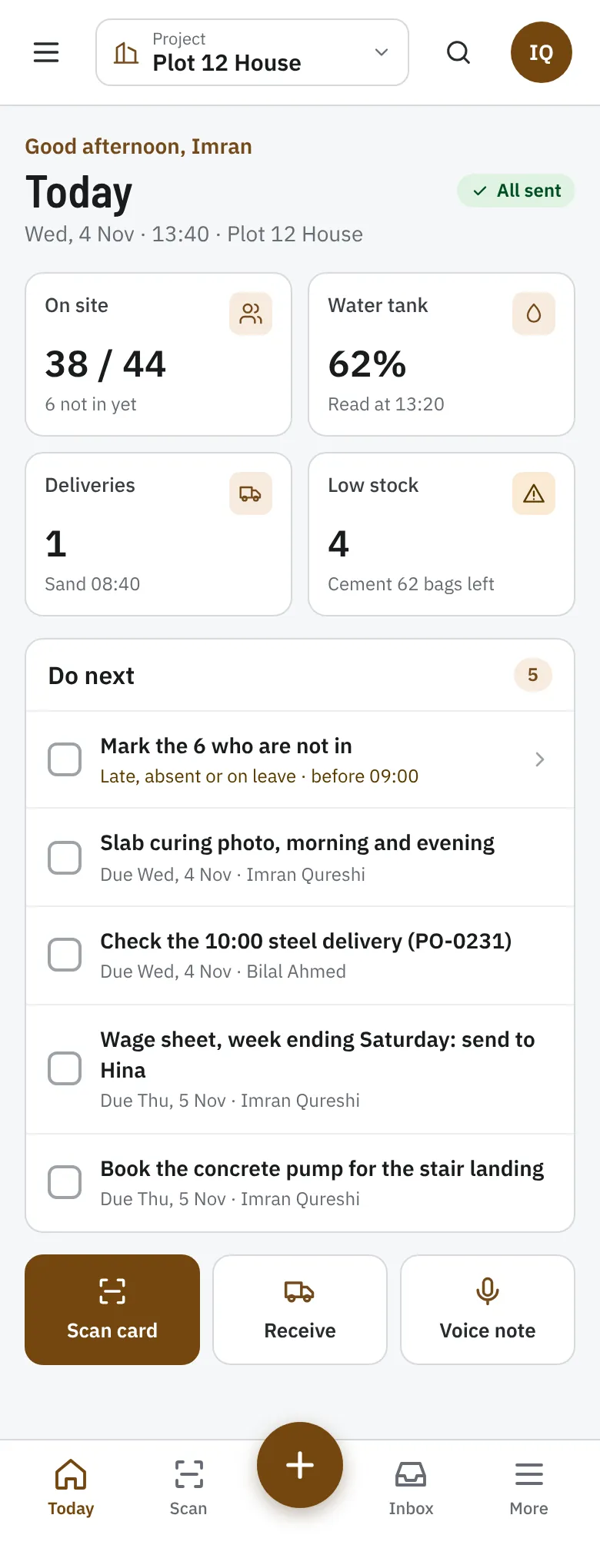
Where each person starts
Buildiary opens on the screen each person needs first.
| Role | Starts on | Works with |
|---|---|---|
| Owner | The overview; on the phone, the weekly update | Progress, money and approvals |
| Owner's supervisor | Approvals | Change orders, bills and wage sheets |
| Site supervisor | Today, on the phone | Attendance, the diary, inspections and to-dos |
| Store keeper | Stores, on a tablet or a phone | Deliveries, issues and stock |
| Accountant | Money | Bills, payments, petty cash and invoices |
| Builder (partner) | Their own projects | Progress, the diary, inspections and snags |
Build with the facts in your pocket.
14 days free. No card. Your workspace is ready in about a minute.